Agent Behavior
The Behavior tab decides what happens when your agent reaches the edge of what it can do - when it can't answer, or when a message clearly needs a person. You set where those moments go, what you promise the customer, and a few automatic rules for common situations.
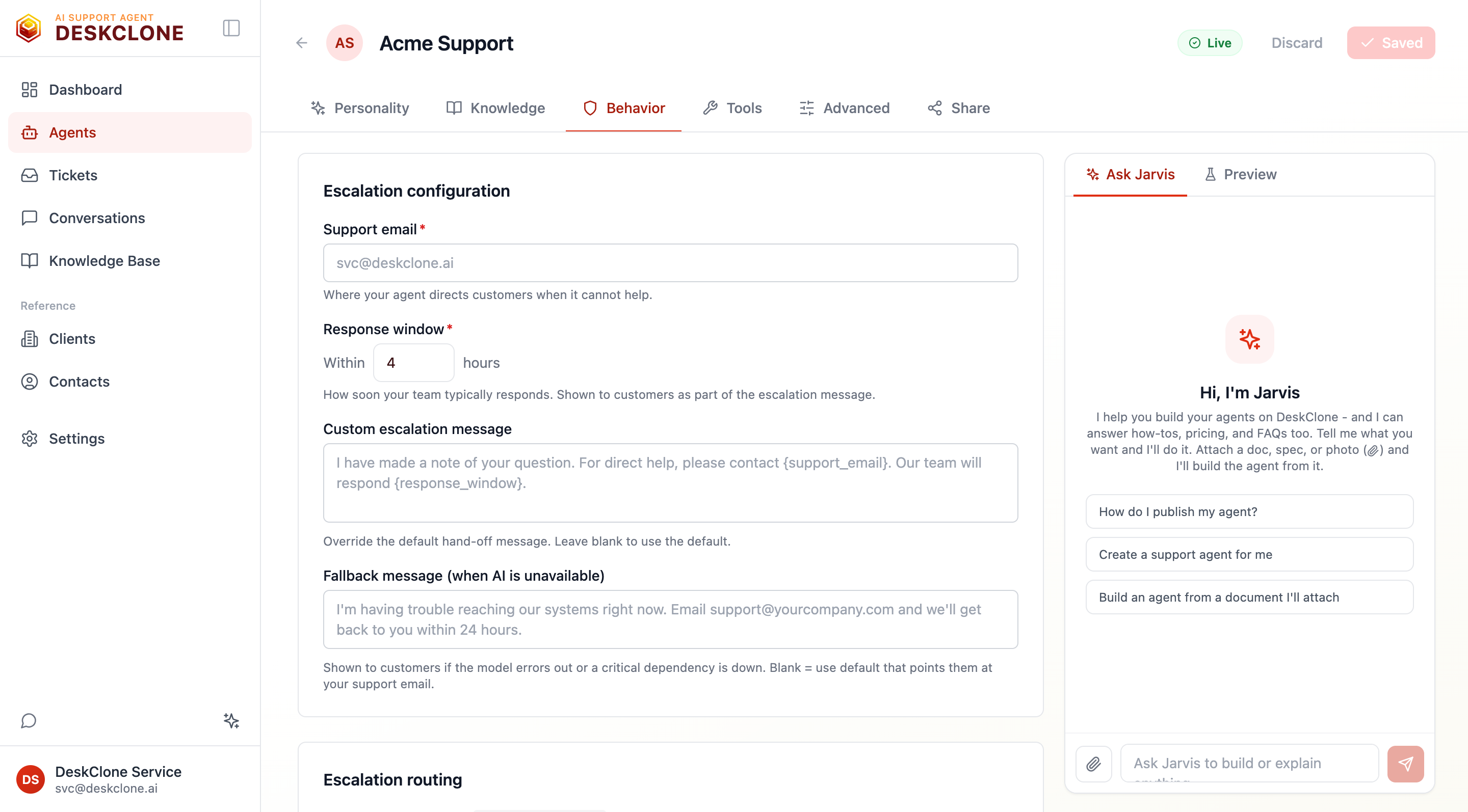
The Behavior tab showing handover settings, the handover routing toggles, and behavior rules
Handover to a Person: Settings
These set the tone and timing of every handover to a person (some people say escalation or transfer to a live agent):
- Support email - where handovers and alert emails go (defaults to your workspace email).
- Response window - how soon you reply when your agent passes a question on. Customers are told this when it hands over ("Someone from your store will email you at sam@example.com within 4 hours"). Leave it empty and customers are told only that you will reply by email, with no time promised.
- Handover message - your own words for that moment. You can use
{support_email}and{response_window}in it. Leave it blank for the default, which tells the customer exactly how they will hear back. If the customer gave no email, a line asking for one is added after your message, so it never promises a reply nobody can send. - If the AI is unavailable (also called the away or fallback message) - shown only if the AI itself is unavailable (a model error or outage). Blank uses a default that points the customer at your support email.
Your customer decides when a person gets involved
Your agent never hands a conversation over on its own judgement. When it can't help - it found no answer, isn't confident, the conversation is going in circles, or it's an account question it can't check - it says so and offers to pass the question on, with Yes, please and No thanks under its reply. If it doesn't have the customer's email yet, the yes asks for one first. Nothing happens until they say yes, and it offers once per conversation.
It hands over straight away only when the customer asks for a person, or when one of your Handover to a person rules below matches.
What the customer sees when your agent hands over
When your agent passes a question on and doesn't have the customer's email yet, the chat asks Where should we reply?
- If the customer already typed their email earlier in the chat, it is offered back with Yes, email me here and Use a different email, so they are never asked for something they already told you. Nothing is saved until they tap yes.
- Otherwise they type it in. They can also choose No thanks, don't email me; the card says plainly that without an email you can't reply.
- If they type their email into the chat instead of the card, it is taken as their answer and read back to them.
The chat stays open afterwards. Your agent keeps answering other questions, anything the customer adds about the handed-over question reaches you on the same ticket, and a line above the message box reminds them where their question is.
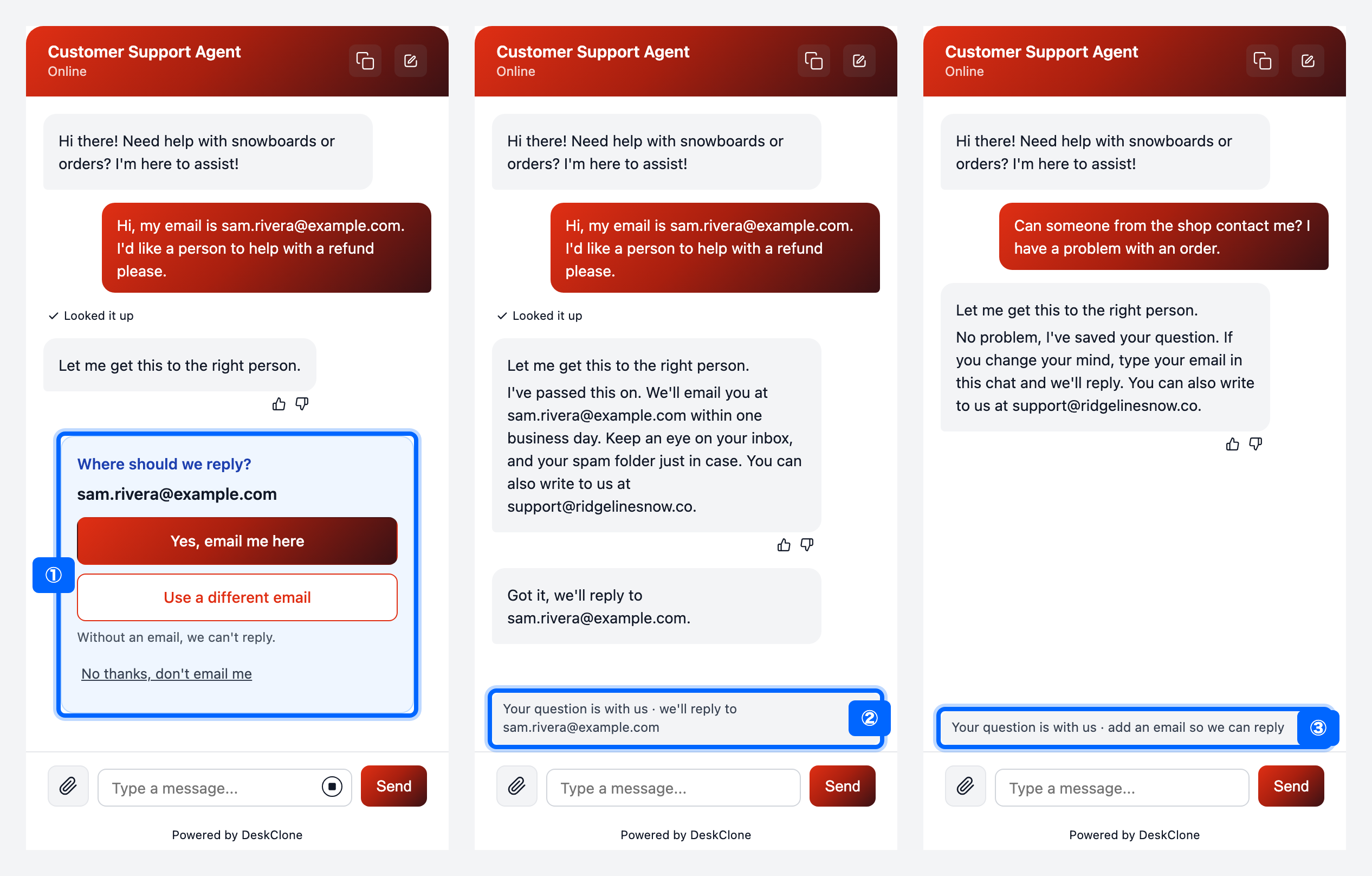
Three phone screens of the chat: (1) the email the customer typed earlier offered back, (2) after Yes, the line above the message box saying where their question is, (3) after No thanks, the same line asking for an email so you can reply
① The email they typed earlier, offered back. ② After Yes, email me here, the line that says where their question is. ③ After No thanks, the same line asks for an email.
You get an email for each handover, with the customer's question and what your agent told them. When they gave an email, its Reply button writes straight to them.
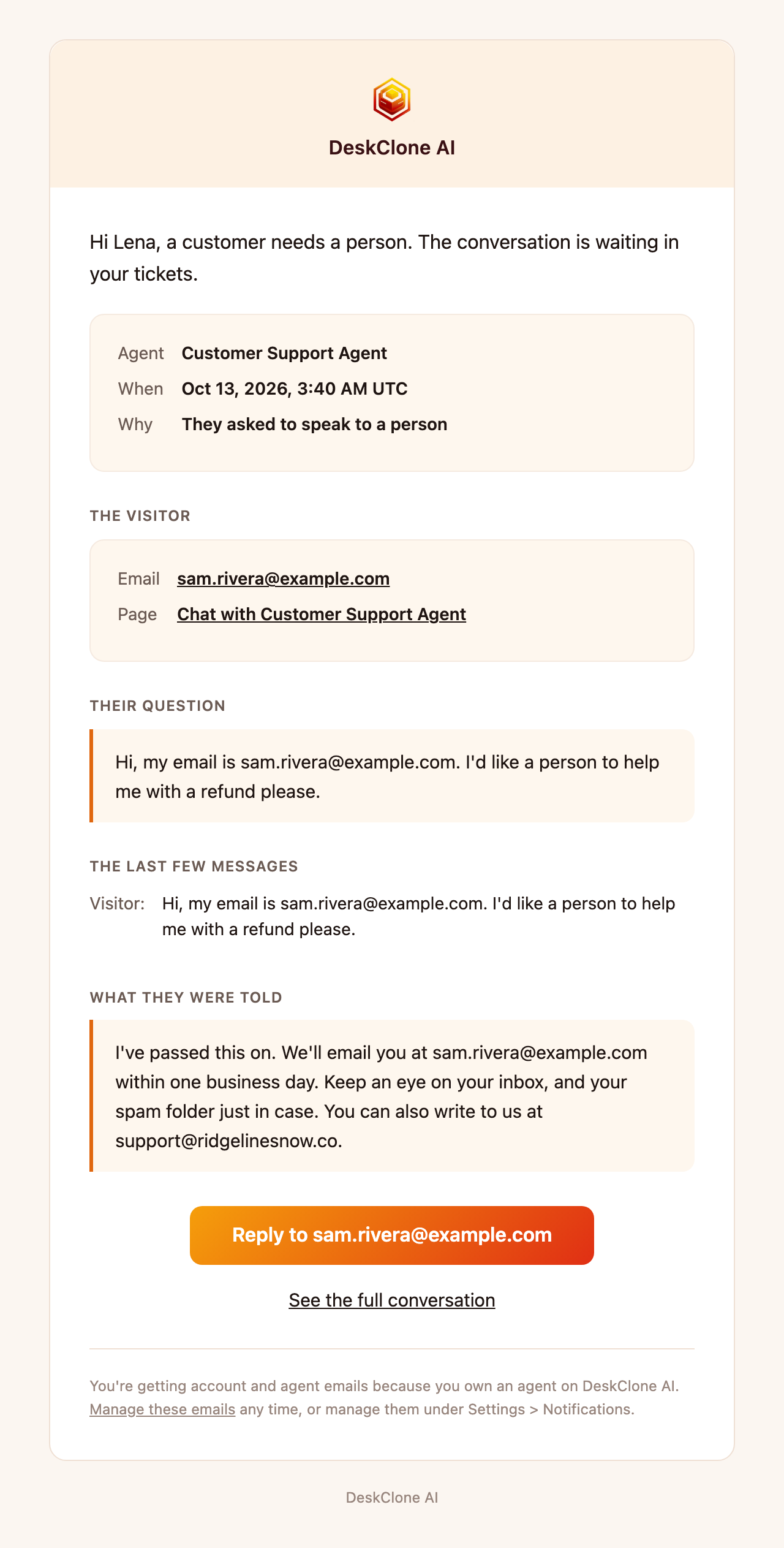
The handover email a store owner receives: the customer's question, what the agent told them, and a Reply button addressed to the customer
Handover Routing
When your agent hands a conversation to a person, you choose what actually happens - and you can turn on more than one:
Create a DeskClone ticket
The default. The conversation becomes a ticket in your Tickets list for your team to pick up.
Send an email
Email an address you specify - handy if your team lives in their inbox.
Invoke a custom API tool
Call one of the agent's own custom API tools with the handover details - for example, open a Zendesk ticket or post to Slack. Pick the tool from the dropdown.
Keep Create a DeskClone ticket on even if you also email or call a tool - it keeps a record you can track and resolve in one place.
Behavior Rules
Rules act on what the customer types, before your agent writes a reply - useful for sensitive or repetitive cases. Add a rule, list its words (separated by commas), and pick what happens:
- Handover to a person - when the message contains one of the words (like "refund" or "cancel"), your agent hands the question over straight away: one short line, then the customer is asked where to reply.
- Respond with canned text - your agent replies with your exact text, word for word, instead of writing its own answer (handy for business hours or your return policy).
- Politely redirect - your agent says it can't help with that here and steers the customer back to the topic you name.
A word matches on its own or as a plural ("refund" matches "Refunds?", never "prefund"), in any case. If a message matches more than one rule, the first rule in your list wins.
Keep rules few and specific - they are a scalpel for known cases, not a replacement for a good Knowledge Base.
What's Next
Give your agent the tools to actually resolve those handovers in Tools, or fine-tune how it reasons in Advanced Agent Settings.
Was this page helpful?