Workspace Settings
Settings holds your organization's configuration. Two parts have their own guides - Account and Billing (your org details, plan, and usage) and Team and Permissions (members and roles). This page covers the rest.
Notifications
Open Settings > Notifications to control what reaches your inbox:
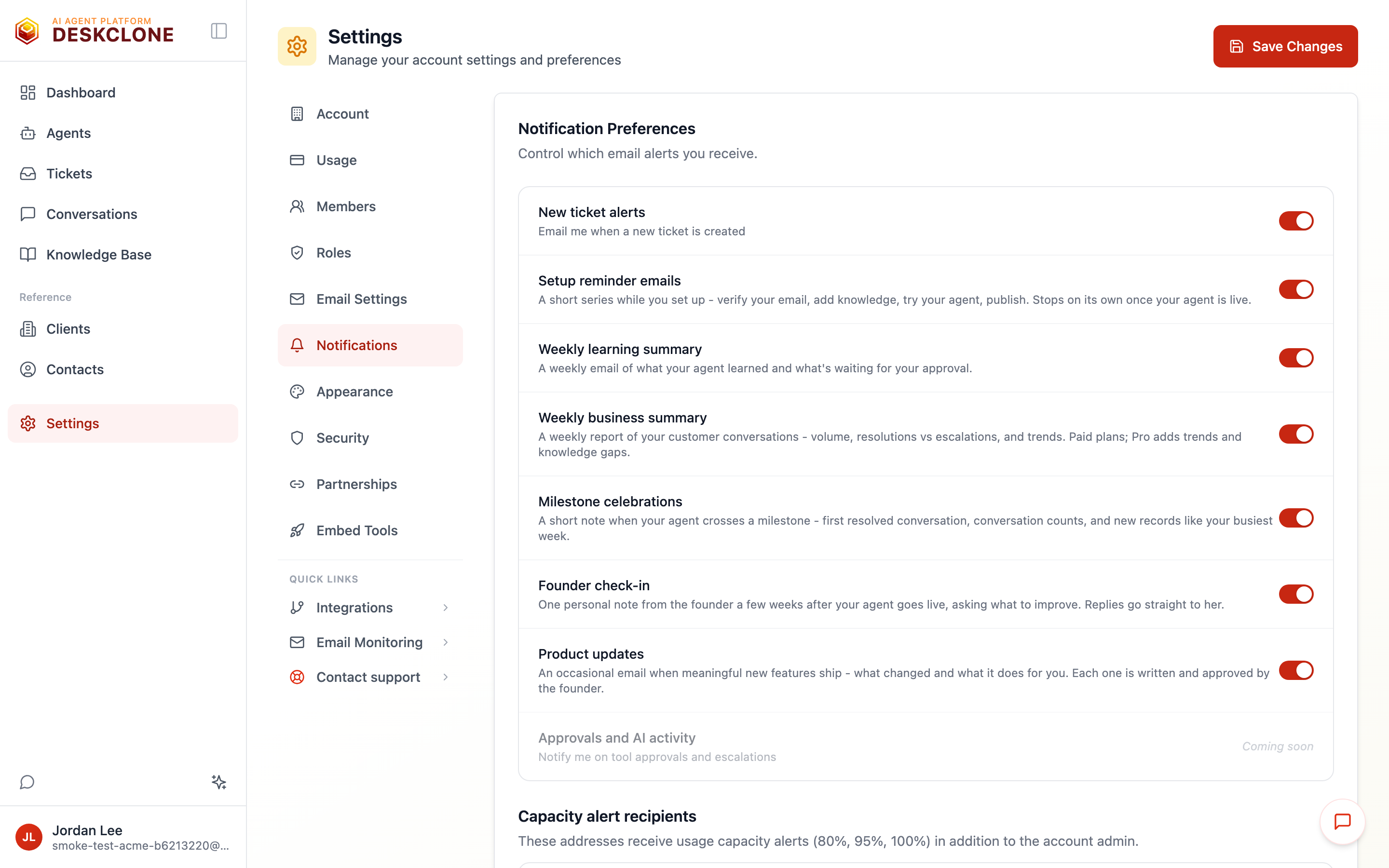
The Notifications settings showing the email stream toggles, including the weekly summaries and product updates, above the capacity alert recipients
- New ticket alerts - get notified when a ticket is created.
- Setup reminder emails - a short series while you set up your agent (verify your email, add knowledge, try it, publish). They stop on their own once your agent handles its first real conversation. The toggle shows when you last changed it.
- Weekly learning summary - a weekly email of what your agent learned and what's waiting for your approval.
- Weekly business summary - a weekly report of your customer conversations: volume, resolutions vs escalations, and the trend against the week before. Available on paid plans; Pro and above also get multi-week trends and open knowledge gaps. On a week with no conversations you get a one-line "quiet week" note instead of silence.
- Milestone celebrations - a short note when your agent crosses a milestone: its first resolved conversation, conversation-count marks, and new records computed from your own data (your busiest support week, your fastest average resolution this quarter, your longest run of resolutions without an escalation). Each fires once.
- Founder check-in - one personal note from the founder a few weeks after your agent goes live, asking what to improve. Replies go straight to her inbox.
- Product updates - an occasional email when meaningful new features ship: what changed and what it does for you. Each one is written and approved by the founder before it goes out - no automated blasts.
- Capacity alert recipients - by default, usage alerts at 80% / 95% / 100% of your monthly conversations go to your account. Here you can add up to 10 more email addresses so the right people hear about it before you run out.
DeskClone caps these optional emails at two per week across all of them combined - reminders, celebrations, summaries, check-ins, and product updates never stack up into a noisy inbox. Account emails like verification codes and password resets are separate and not affected.
The unsubscribe link at the bottom of a reminder or summary email flips the same switch as these toggles - turning one off by email shows here as off, with the date, and you can turn it back on any time.
Security
Open Settings > Security for account safety and data controls:
- Change password - update your sign-in password.
- Ticket deletion policy - choose which ticket statuses your team is allowed to delete. Lock down everything except, say, resolved tickets to prevent accidental loss.
- Widget attack log - a record of suspicious widget activity that DeskClone flagged or blocked (such as prompt-injection attempts), with a 7/14/30/90-day view.
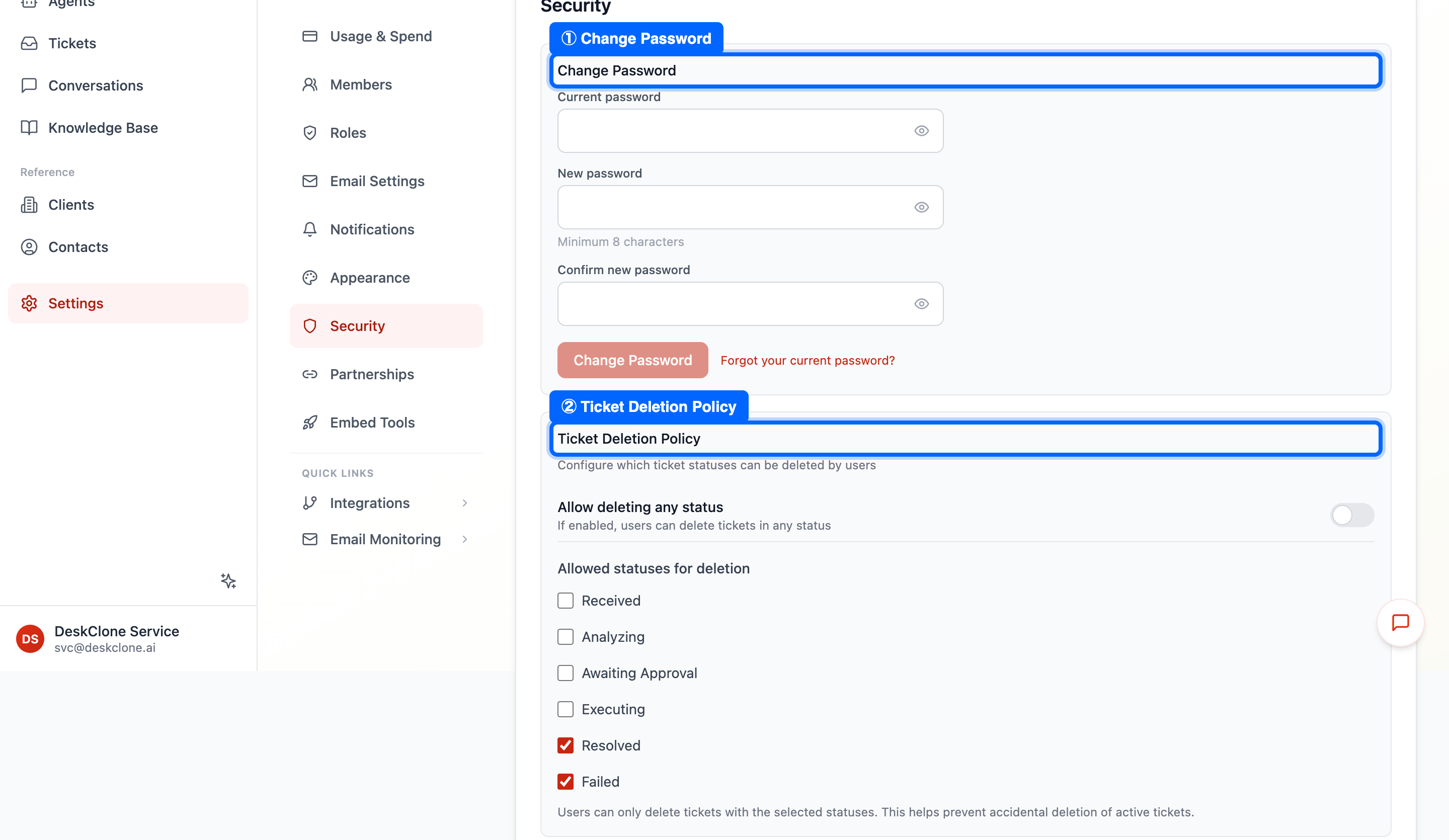
The Security settings page showing change password and the ticket deletion policy
Add to Your Website
Open Settings > Add to Website for the support form you can add to your own website, with its copy-paste code:
- Support form - the same contact form covered in Ticket Sources, with a live preview.
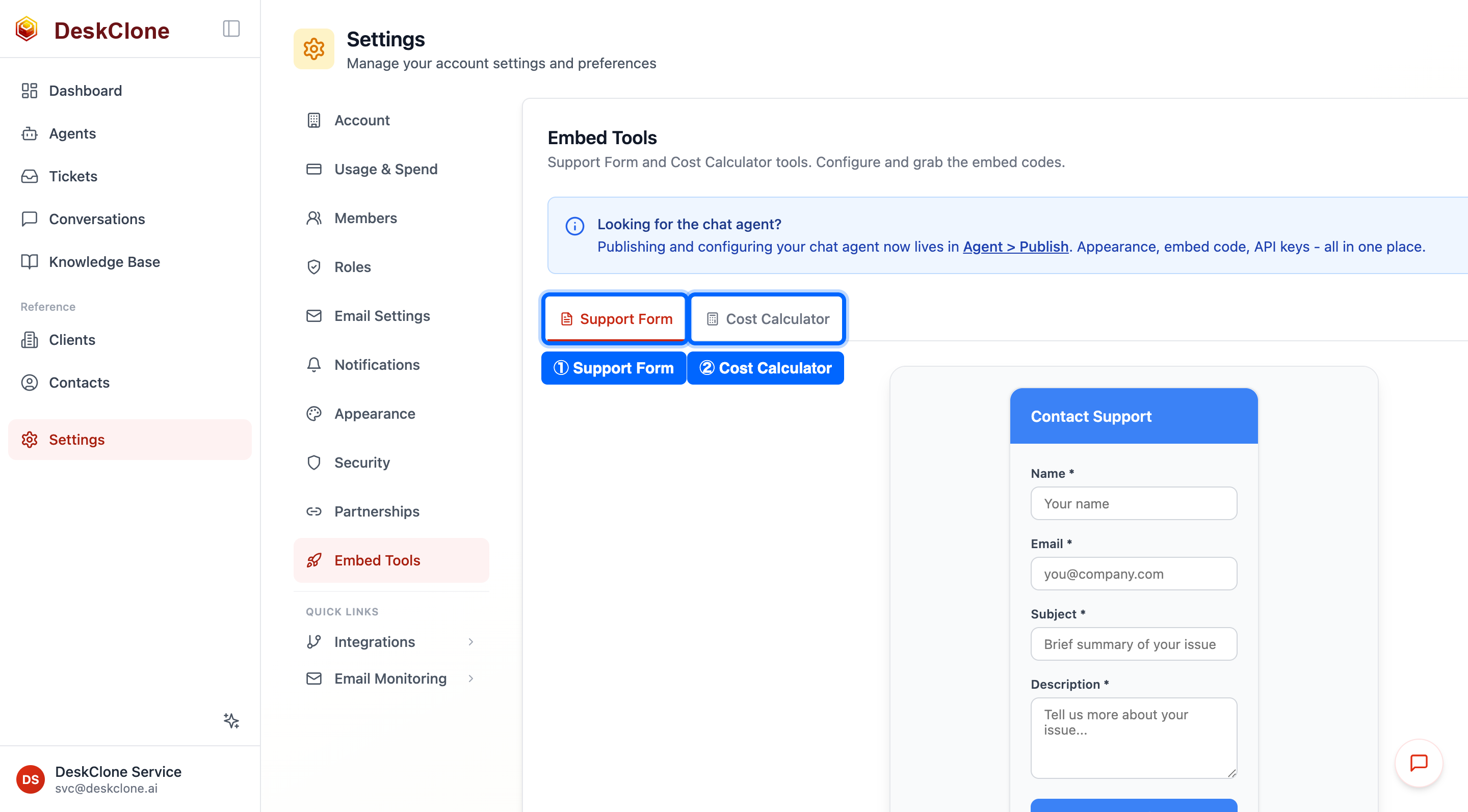
The Add to Website settings page showing the Support Form with its copy-paste code
Your chat widget is published from the agent's Share tab (see Embed Widget), not from here. Add to Website is for the supporting contact form.
If you restrict the chat widget to your own website domains and publishing shows a notice that a domain could not be registered with our bot-protection provider yet, your visitors on that domain may fail the widget's invisible security check until it's resolved. The DeskClone team is notified automatically when this happens; contact hello@deskclone.ai if it blocks your launch.
Partnerships
Open Settings > Partnerships if you work with another DeskClone organization - for example, when you outsource part of your support or handle support on another company's behalf. Click Invite Partner to set up a cross-organization partnership so the two teams can collaborate.
On the Way
A few settings are still being built and currently show a "coming soon" note: Email Settings (outbound email templates and sender identity - different from connecting an inbox, which lives under Ticket Sources), Appearance (dashboard theme and density), and additional security features like two-factor authentication and session management.
What's Next
If something is not working as expected, the Troubleshooting guide covers the common fixes.
Was this page helpful?