DeskClone on Shopify
If your store runs on Shopify, the DeskClone AI app does the whole job from inside your Shopify admin: it links your store to a DeskClone account, builds an agent from your store's own policies, pages and products, and turns on the chat bubble in your theme.
The Shopify app is with Shopify for review. We submitted it on September 30, 2026, and until Shopify approves it you can't install it from the Shopify App Store. Want it the day it's approved? Write to hello@deskclone.ai and we'll let you know. The steps below are how it works once it's live.
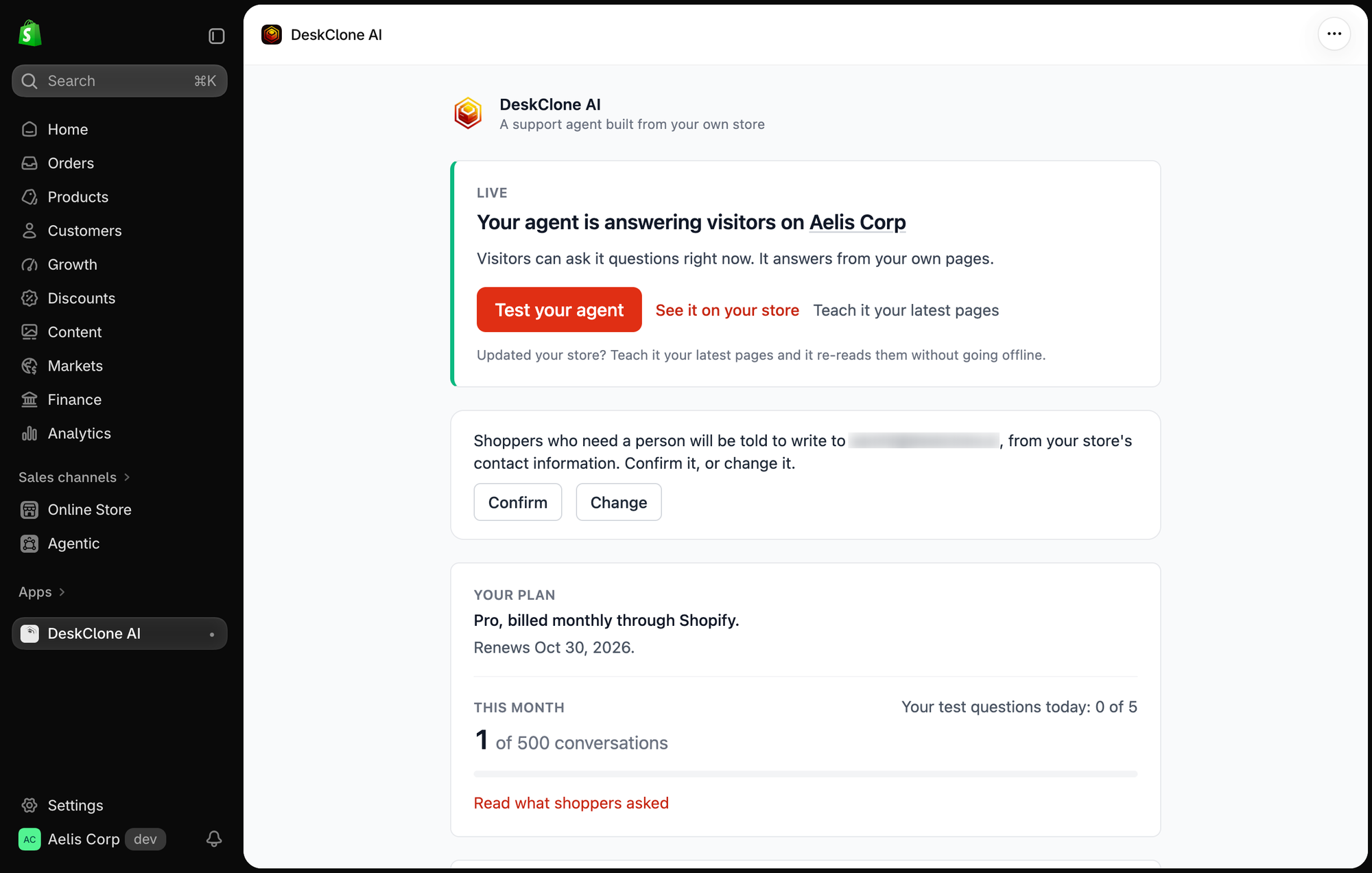
The DeskClone AI app inside a Shopify admin: the Live card with Test your agent, the support address to confirm, and the plan and usage panel
Get it live
Install and connect
Install DeskClone AI from the Shopify App Store and open it from Apps in your admin. Click Connect DeskClone, then sign in or create your account in the window that opens (Google works). Your store is linked to that account and the window closes on its own.
Build from your store
Click Build my agent. DeskClone reads your refund, shipping and terms policies first, then your pages, then your products - the things shoppers actually ask about. The screen shows the build honestly: in line, building, live, or the exact reason something failed and what to do about it.
Turn it on in your theme, then try it
When the build lands, the card says Built and ready and offers one button, Turn it on in your theme. It opens your theme editor with the DeskClone AI app embed already switched on; press Save, open your store once, and the card changes to Live on your store on its own. It only says live once it has actually seen the widget on your store. Test your agent on the same card opens the widget right there; test questions never use your monthly conversations.
What it reads
DeskClone reads only your store's published content, never your customers or orders, so there is nothing to approve beyond the install itself. Products reach the agent only when they are active and published to your online store, with their price and whether they are in stock, so it never offers something a shopper cannot buy.
Your plan and usage
The app keeps you posted one thing at a time: how many visitor conversations you have used (your own tests counted separately) and where to change the look. Your store's name on the card is a link to it.
- The app is free to install. The free plan includes your agent live on this store and 10 visitor conversations a month.
- Paid plans are billed through Shopify. The app links you to Shopify's plan page, where you choose and approve a plan, and where you change or cancel it later. Receipts and your payment method are in Shopify too.
- Booster packs aren't offered on Shopify. See Account and Billing.
Keep it up to date
Updated your store? Click Teach it your latest pages and the agent re-reads it while it keeps answering. Name, welcome message, colors and allowed websites live in DeskClone under Share; see Embed Widget. Changes apply to your storefront straight away.
Uninstalling
Uninstalling the app switches the widget off and ends your paid plan, along with any conversations banked in your rollover. Your agent and its knowledge stay in your DeskClone account, so reinstalling puts them back.
What's Next
- Embed Widget: change how the bubble looks and where it appears
- Knowledge Base: see what your agent learned from your store
- Troubleshooting: when something doesn't look right
Was this page helpful?