DeskClone on Wix
If your site runs on Wix, the DeskClone AI app does the whole job from inside your Wix dashboard: it links your site to a DeskClone account, reads your pages, builds your agent, and puts the chat bubble on your site.
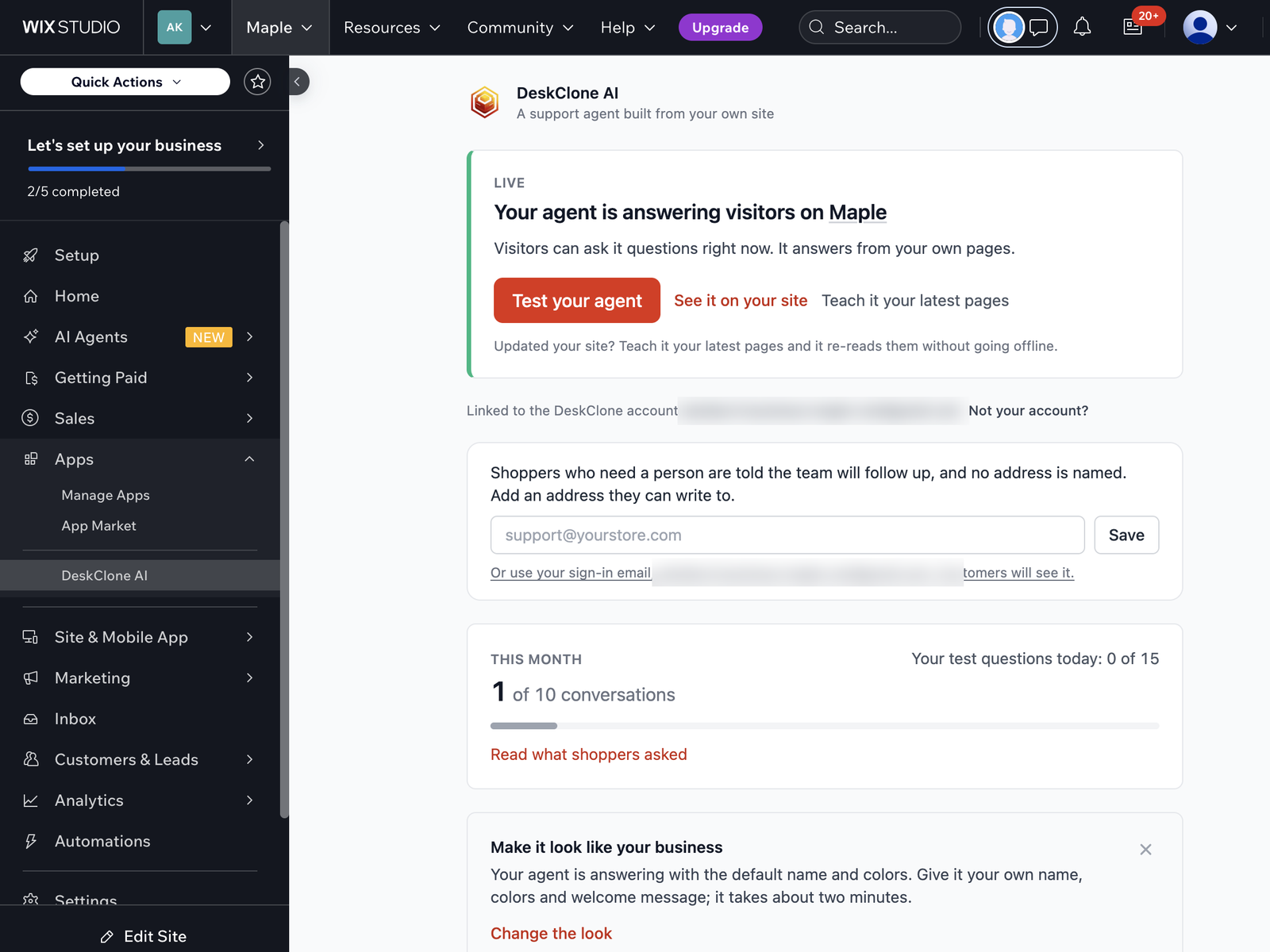
The DeskClone AI card in a Wix dashboard, showing the agent live on the site
Get it live
Install and connect
Install DeskClone AI from the Wix App Market, then open it from Apps in your site's dashboard. Click Connect DeskClone. A new tab opens: sign in or create your DeskClone account there (Google works). When the tab says your site is connected, close it and go back to your dashboard.
Build from your site
Click Build my agent. DeskClone reads your published pages and builds a support agent from what you have already written. The card shows the build as it goes: waiting its turn, reading your site, or live. If something fails, it tells you the exact reason and what to try.
Try it, then it is live
When the build lands, the card says Live on your site and the chat bubble appears on your site on its own. Test your agent opens the chat right on the card. Test questions have a daily allowance of their own and never use your monthly conversations.
Only the owner of the Wix site can connect it. Anyone else who opens the app sees a note asking them to ask the owner.
Two things to know before you start
- Your site must be published. DeskClone reads the pages visitors can see. A site that has never been published has nothing to read yet, and the card shows your site as "your Wix site" until it has an address.
- It reads your site in its main language. Pages in other languages are not read.
Your plan and usage
The card keeps you posted one thing at a time: how many visitor conversations you have used this month (your own tests are counted separately) and where to change the look.
- Free includes your agent live on this site and a monthly number of visitor conversations. No card needed.
- Upgrade in Wix opens Wix's own plan page, where you pick and approve a paid plan. Paid plans start with a free trial; the card shows the date the trial ends.
- Paid plans are billed through Wix. Receipts, your payment method and cancelling all live in your Wix account, not in DeskClone. Plan changes happen in Wix too. See Account and Billing.
The card always says what state your plan is in and what to do next. For example, if a renewal fails it says Wix hasn't been able to renew the plan and points you to your Wix billing settings. Your agent keeps answering meanwhile.
Keep it up to date
Updated your site? Click Teach it your latest pages and the agent re-reads it while it keeps answering. Everything else (name, welcome message, colors, allowed websites) lives in DeskClone under Share; see Embed Widget. Changes reach your Wix site straight away. On Wix the chat bubble carries no "Powered by" line.
Linking to a different account
If your site is already linked to one DeskClone account, the app asks before moving it to another. If you are signed in to more than one account, it asks which one this site is for.
Uninstalling
Removing the app switches the chat bubble off and unlinks the site. Wix asks you to cancel a paid plan in Billing & Payments before it lets you remove the app. Your agent, its knowledge and its conversations stay in your DeskClone account until you delete them, so reinstalling puts it back.
What's Next
- Embed Widget: change how the bubble looks and where it appears
- Knowledge Base: see what your agent learned from your site
- Troubleshooting: when something doesn't look right
Was this page helpful?